
Features
Every tool, built around one calm journey
From your first scan to the fourth trimester — here's exactly what MaaSphere does, and just as importantly, what it doesn't.
Pregnancy Timeline
Every week of your pregnancy, in one calm view.
- A week-by-week timeline that auto-scrolls to exactly where you are today.
- Tap any week to see the trimester, your baby's size, and a short, plain-language description with tips.
- A progress bar and days-until-due-date counter keep the big picture in view.
- The same week-by-week data also powers your Baby screen, so the two never disagree.
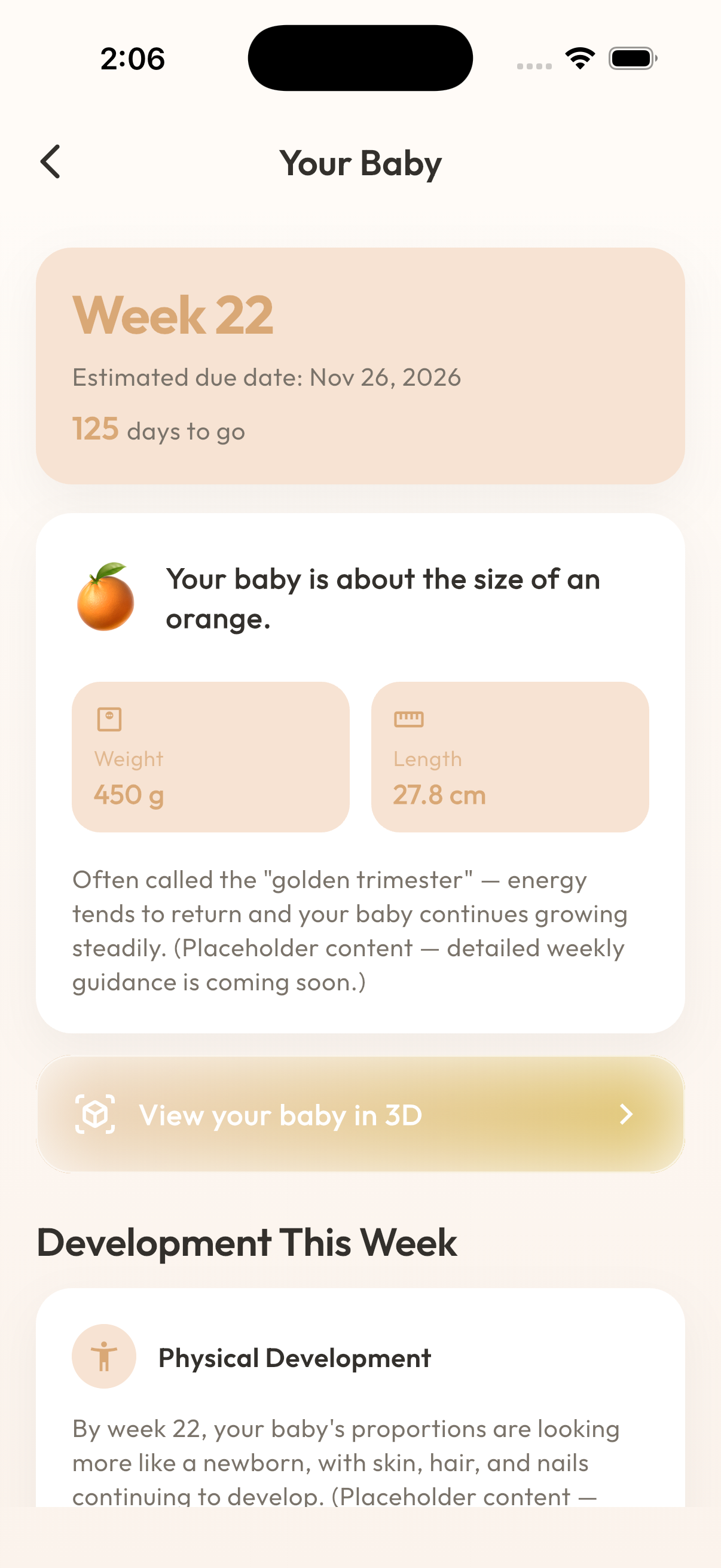
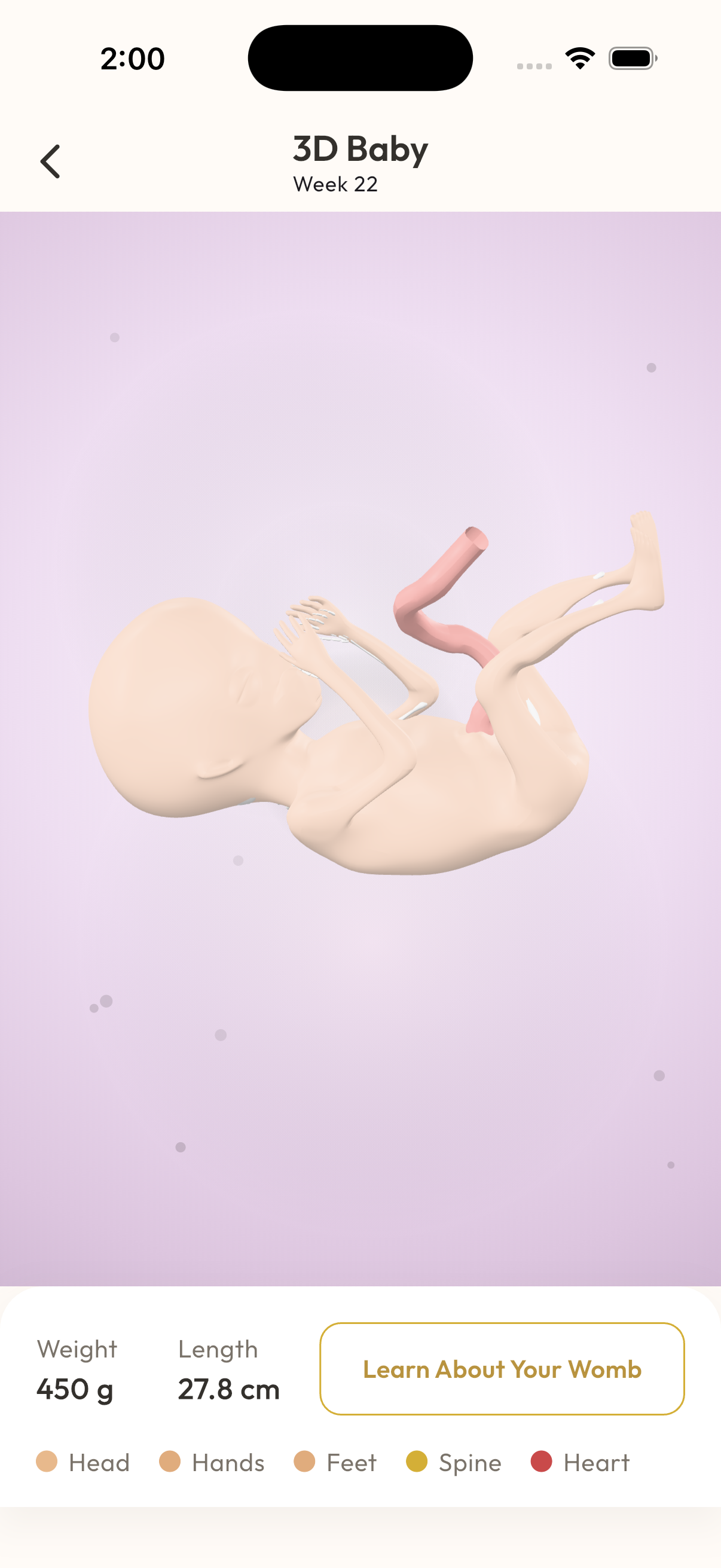
3D Baby Viewer
See your baby at 9 key developmental stages.
- Nine hand-authored 3D models mark key stages of development, from week 8 through week 40.
- Rotate and zoom with a simple drag or pinch — no app-store add-ons, it's built in.
- Each stage shows estimated weight and length alongside the model.
- Before week 8, a gentle placeholder explains that development is still too early to visualize — nothing is hidden or broken, it's just not time yet.
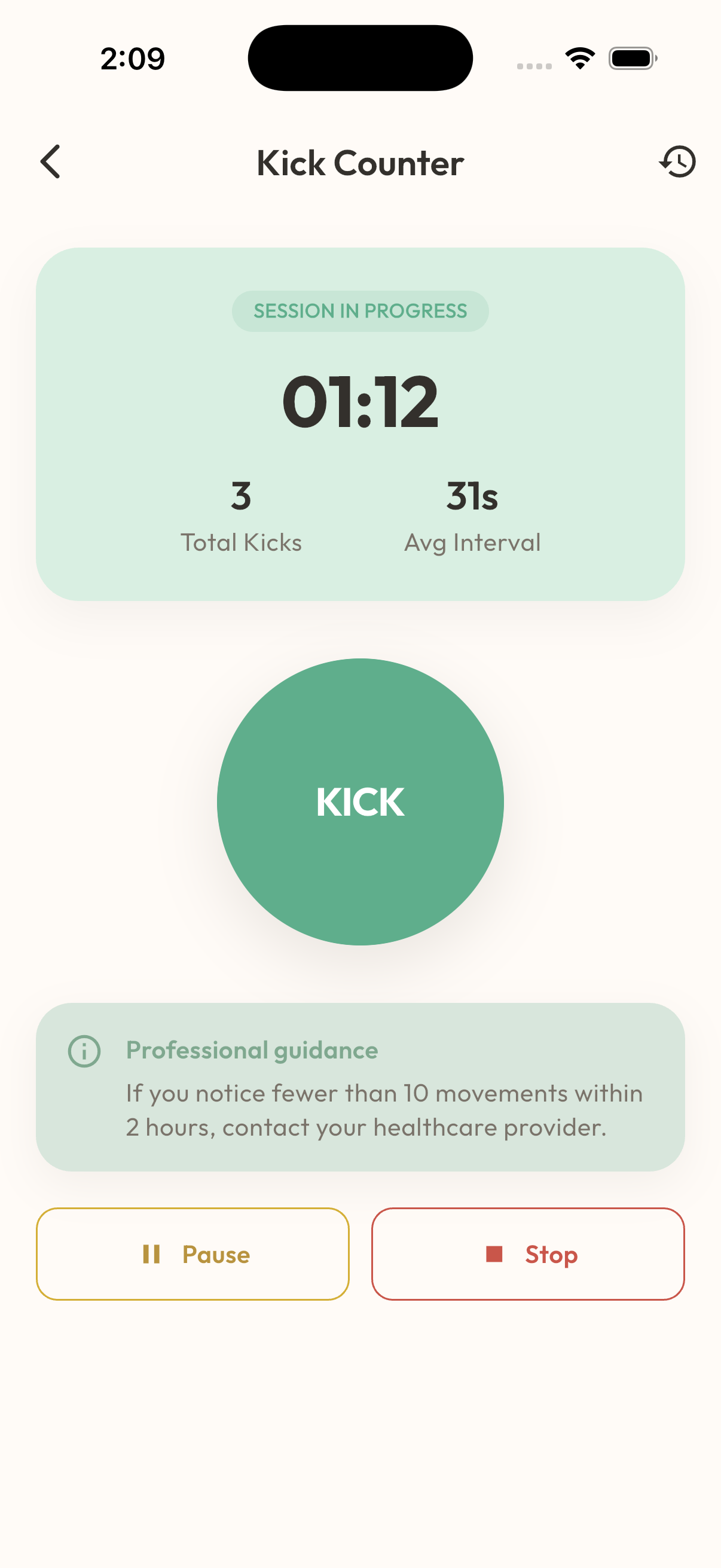
Kick Counter
A quiet, focused way to track movement.
- Start a session, tap once per kick, and see your running total, timer, and average interval live.
- Unlocks from week 15 — before that, movement is expected to be too faint and inconsistent to count meaningfully.
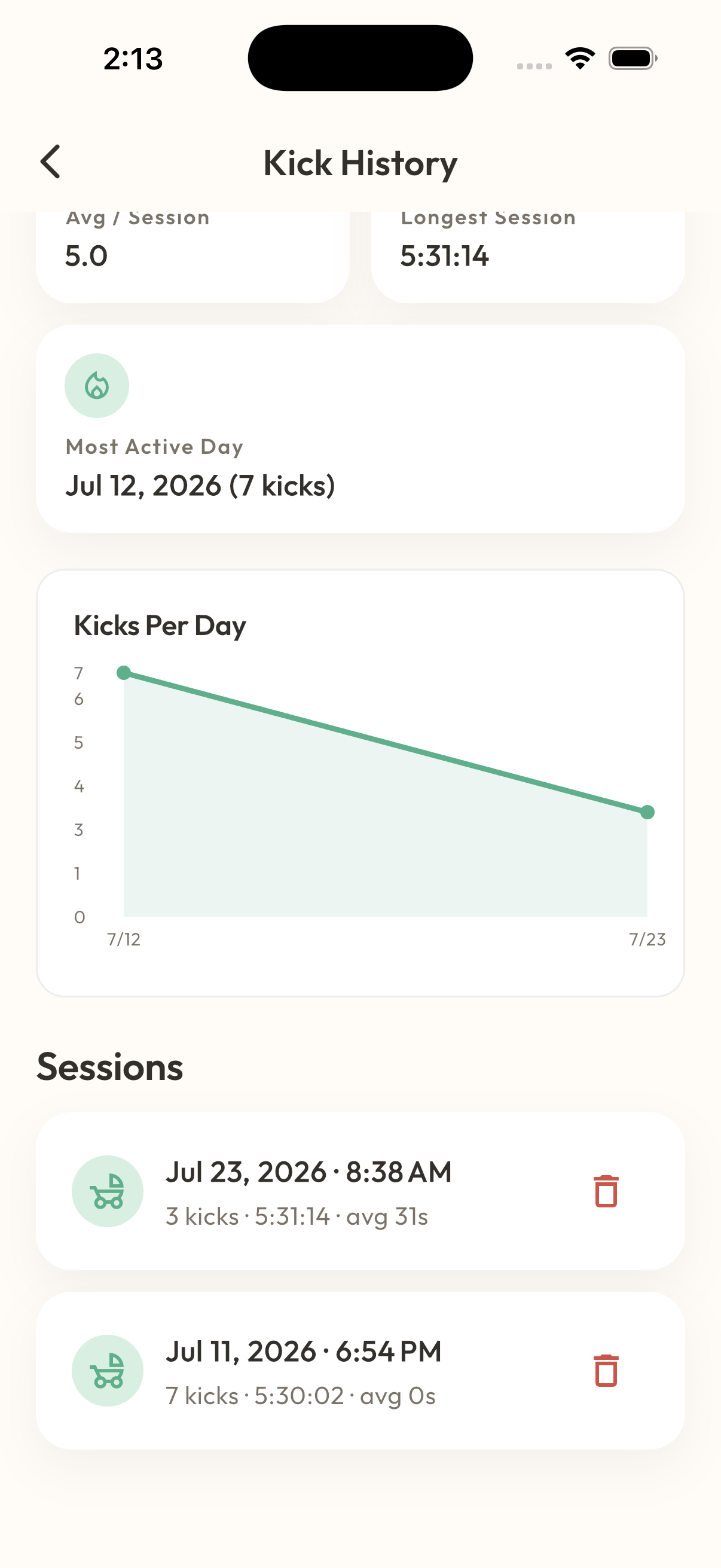
- A history view tracks kicks per day, average per session, and your most active times.
- It's a self-awareness tool, not a diagnostic device — MaaSphere nudges you toward your doctor if a session looks unusually quiet, rather than making a call itself.
Medicine Tracker
Never lose track of a dose.
- Add medicines with dosage, frequency, and reminders in a short guided flow.
- Today's doses are grouped into Morning / Afternoon / Evening / Night with a clear progress ring.
- Mark a dose taken or skipped — skipping asks for confirmation first, so a stray tap can't misreport your adherence.
- If your doctor is connected on MaaSphere, their instructions surface right in this screen, under 'From your doctor.'

Dhruv AI
A calm, knowledgeable companion — not a replacement for your doctor.
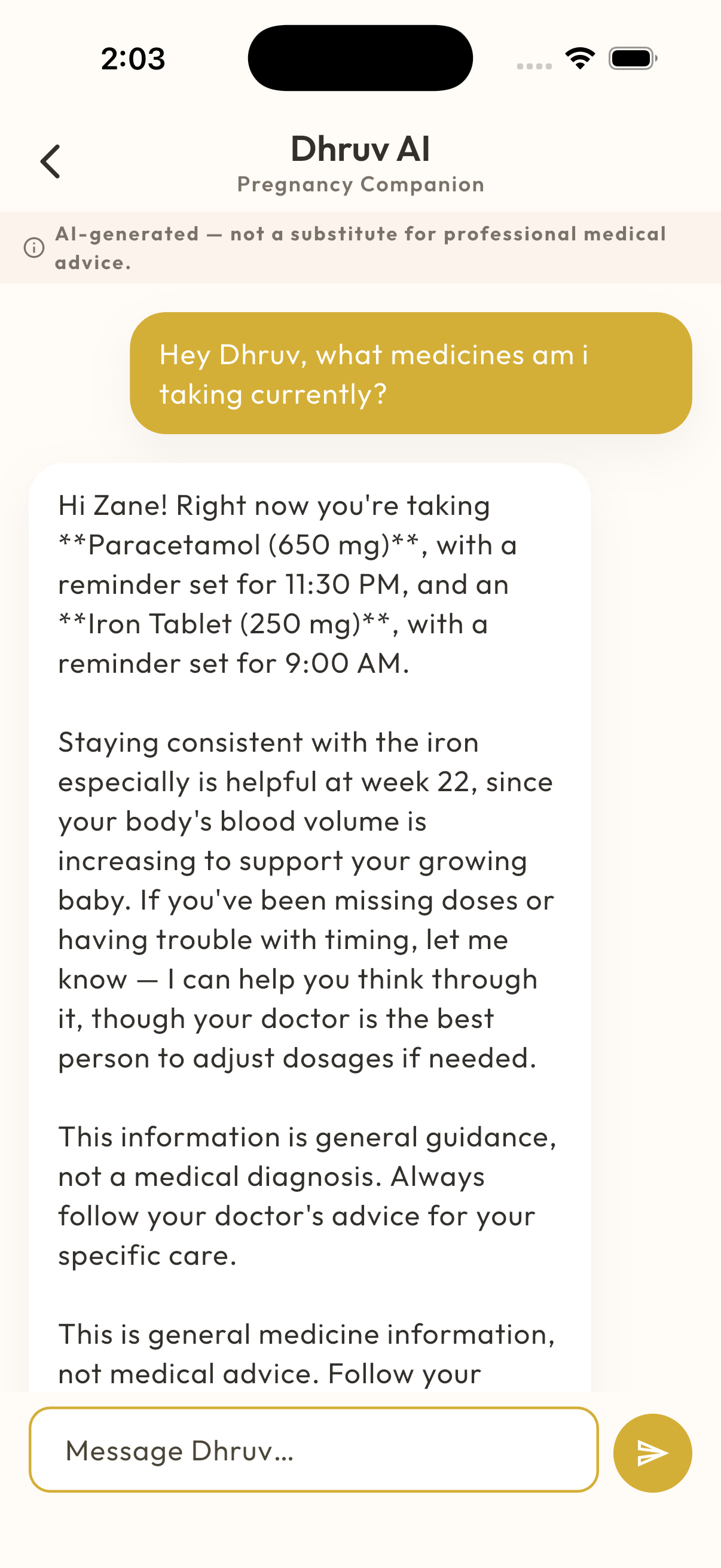
- Answers everyday questions about pregnancy, postpartum recovery, nutrition, and baby development.
- Reads the context you've already logged in MaaSphere — your current week, symptoms, medicines — so answers are personal, not generic.
- Built-in safety checks scan both what you type and your recent logged data, and can route you straight to emergency guidance when something looks urgent.
- Every response carries a clear reminder that it's informational, not a diagnosis — Dhruv AI never tells you that you or your baby have a specific medical condition.
- Powered by Anthropic's Claude, called through MaaSphere's own backend — your messages are never sent to a model directly from your device.
Doctor Dashboard
A read-only, EMR-style view built for busy clinicians.
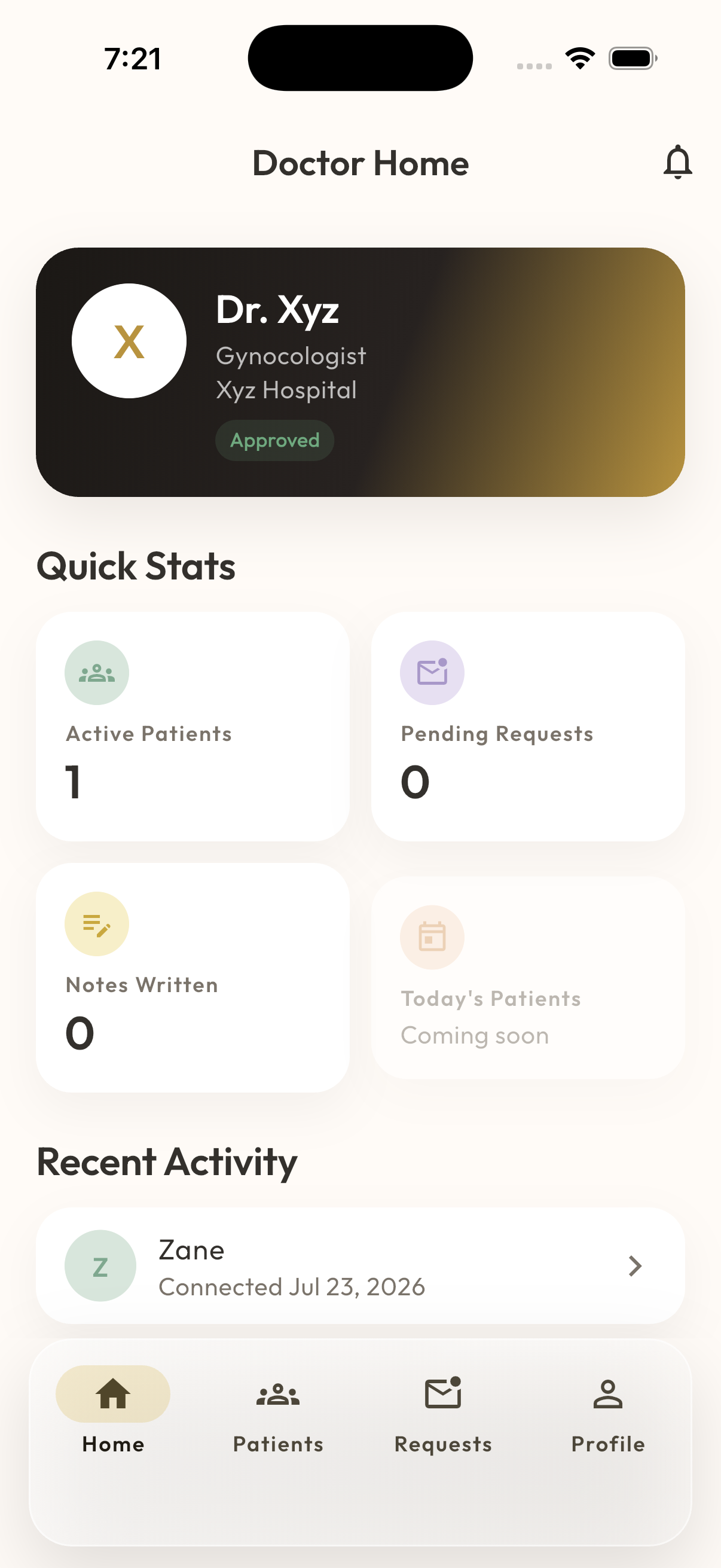
- A home screen built for a clinical workflow: verification status, active patients, pending requests, and recent activity at a glance.
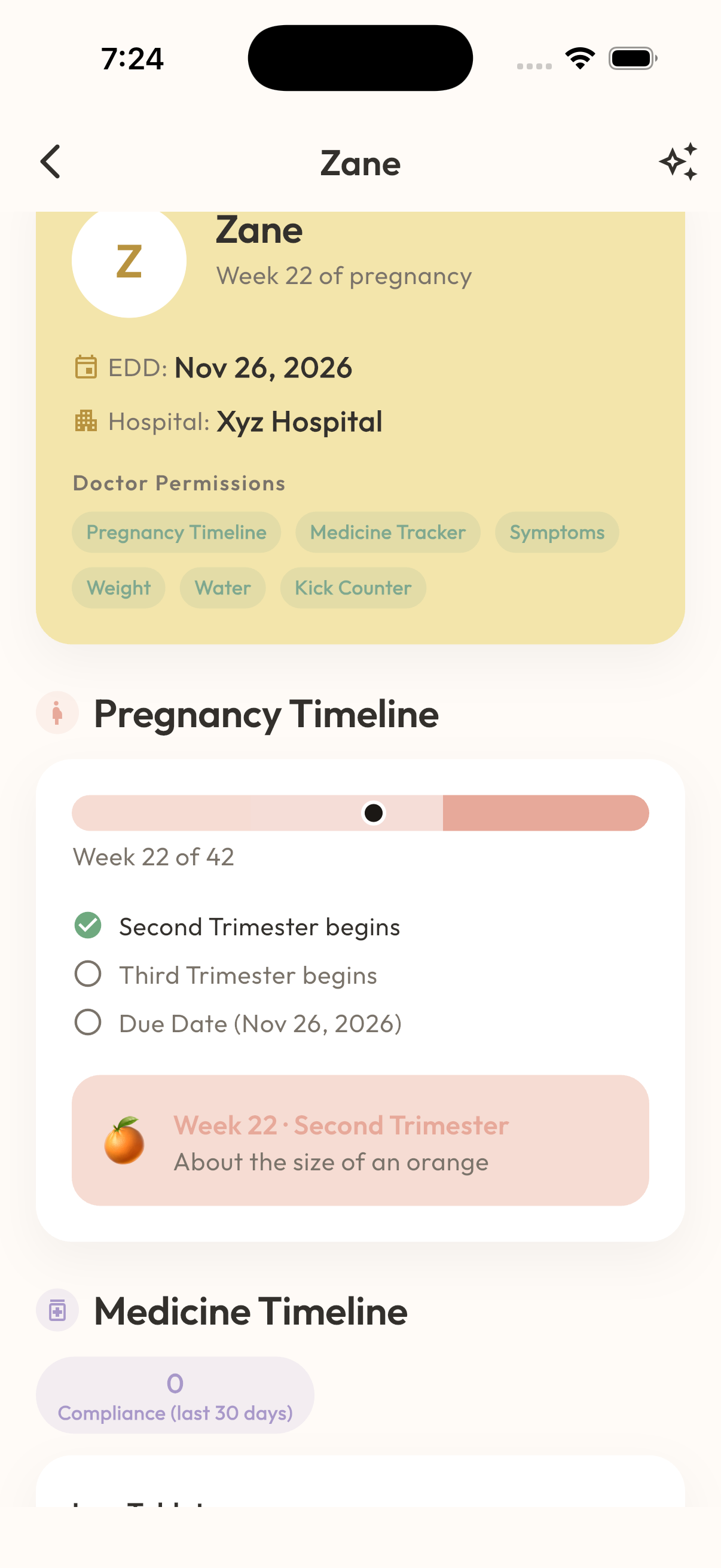
- My Patients gives a searchable list; opening a patient shows a read-only, chart-style view — timeline, medicines, weight, symptoms, kick counter history, and your own past instructions and notes.
- Doctors can write clinical notes and issue instructions that surface directly inside the patient's Medicine Tracker.
- Today, an accepted patient connection shares the full record — granular, patient-controlled sharing of individual categories is on our roadmap, not yet available.
Partner Dashboard
Built for support, not just spectating.
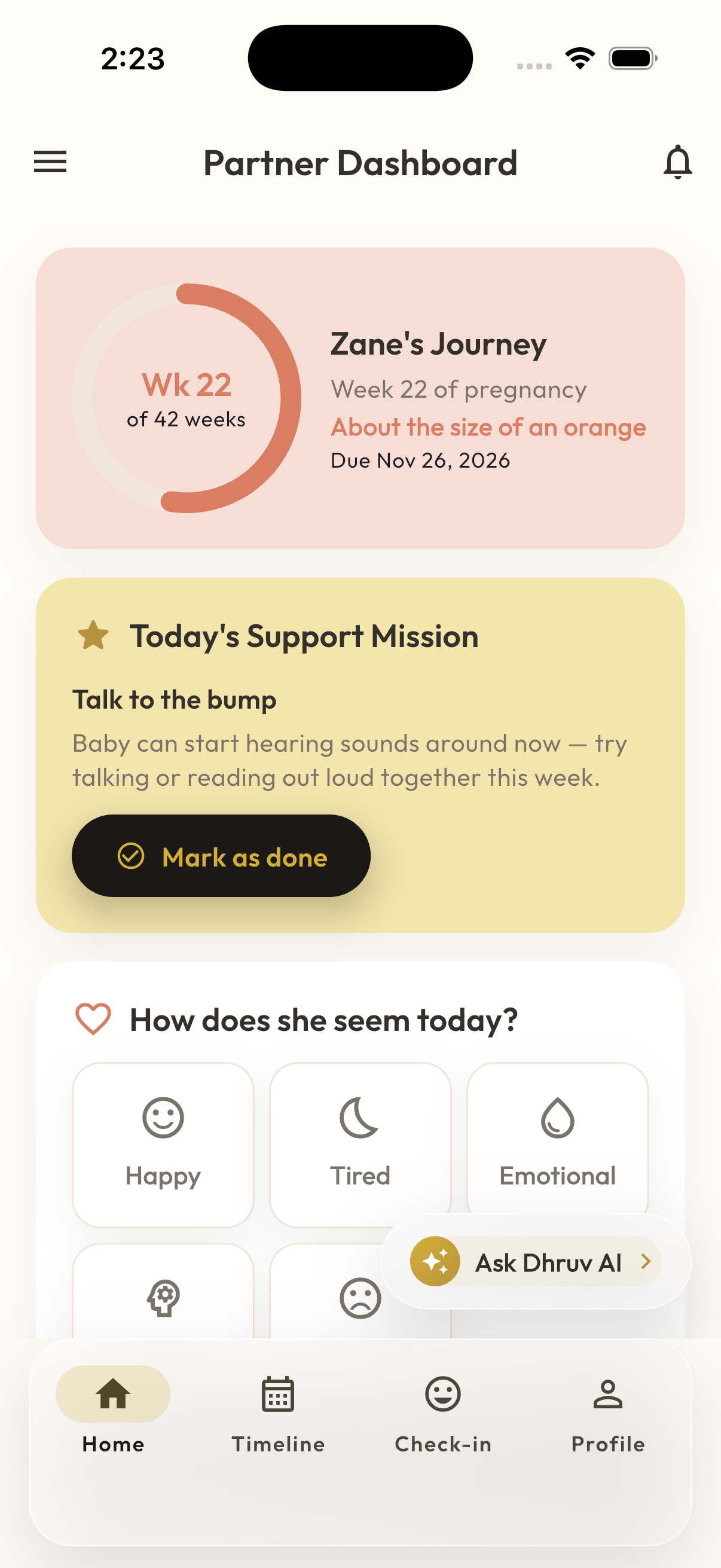
- Once connected, partners see pregnancy progress, today's medicines and appointments, and doctor instructions — all read-only.
- A daily 'support mission' suggests one small, concrete way to help, and a personal check-in log tracks the partner's own mood alongside the journey.
- Weekly stats (missions completed, days checked in, streaks) turn showing up into something visible.
- Dhruv AI is available to partners too, scoped to their linked mother's data.
Be the first to know when MaaSphere is ready for you
Questions, feedback, or want early access? We'd love to hear from you.